Smartwatches and fitness trackers have become part of daily life for millions of people. Whether you use one to track your steps, monitor your heart rate, or receive calls, none of it works if the battery dies too soon. The good news is that a few simple changes can make a big difference in how long your wearable device lasts on a single charge.
Adjust Screen Brightness and Timeout Settings
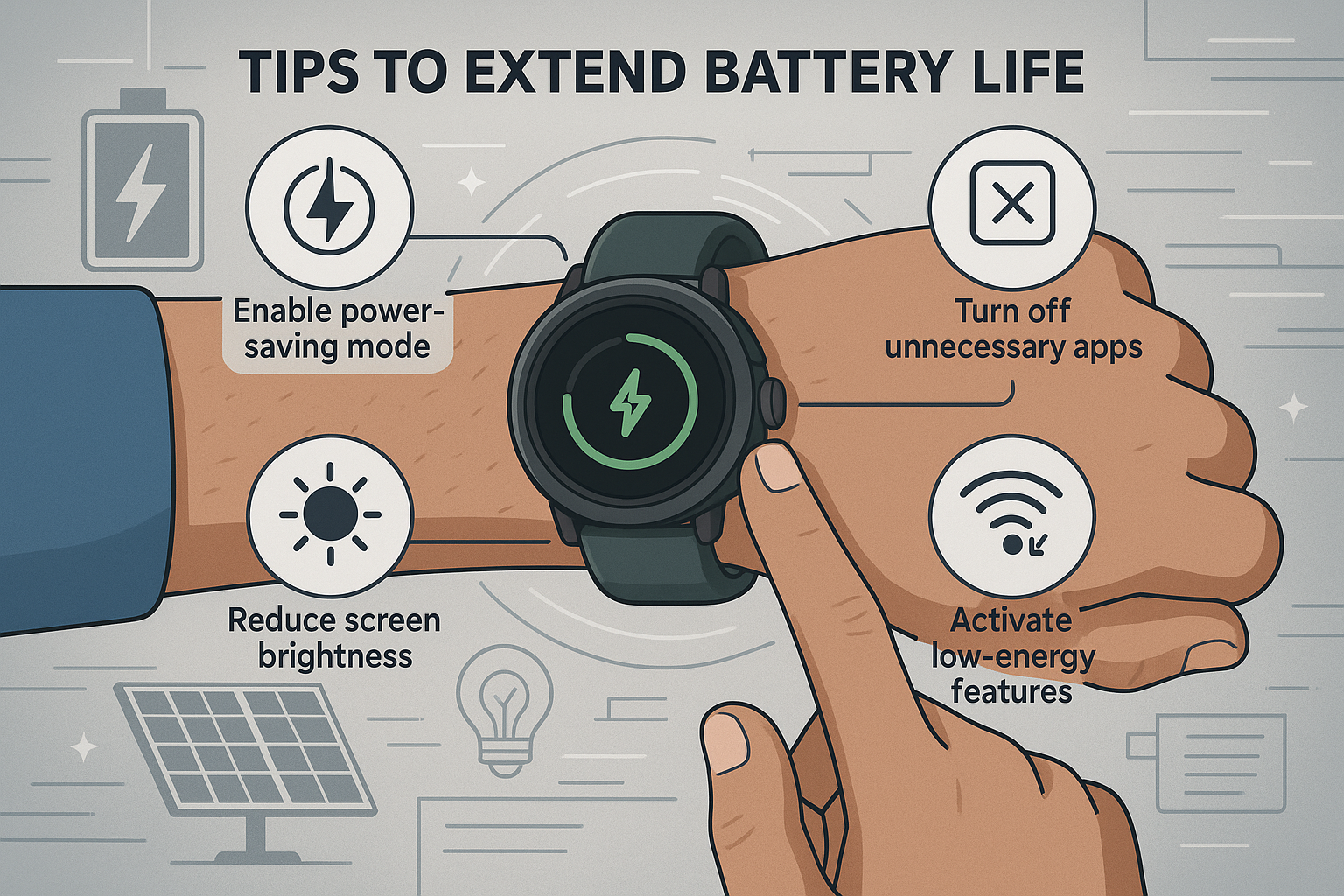
The display is the single biggest drain on your wearable’s battery. Reducing screen brightness even slightly can extend battery life noticeably. Most smartwatches, including popular models from Apple, Samsung, Fitbit, and Garmin, allow you to set a short screen timeout so the display turns off quickly when not in use.
- Lower brightness to 50% or less when indoors.
- Set screen timeout to 5 seconds or the shortest available option.
- Enable auto-brightness so the device adjusts based on ambient light.
- Turn off the always-on display feature if your device has one.
These small adjustments alone can add hours to your battery life each day.
Turn Off Features You Are Not Using Right Now
Modern wearables are packed with features like GPS, Wi-Fi, Bluetooth, NFC, and continuous heart-rate monitoring. Each of these consumes power even when running in the background. The key is to use them only when needed.
- GPS: Turn it on only during outdoor runs, hikes, or cycling sessions. Keep it off the rest of the time.
- Wi-Fi: If your watch syncs data through your phone via Bluetooth, there is no need to keep Wi-Fi on.
- Continuous heart-rate monitoring: Switch to on-demand heart-rate tracking if you do not need real-time data throughout the day.
- NFC and contactless payments: Disable if you rarely use them.
Turning off even two or three unused features can significantly reduce battery drain over the course of a day.
Use Power Saving Mode and Manage Notifications Wisely
Almost every wearable device today comes with a built-in power saving or battery saver mode. This mode limits background activity, reduces screen refresh rates, and disables non-essential features automatically. Activate it when your battery drops below 20% or when you know you will be away from a charger for an extended period.
Notifications are another hidden battery killer. Every buzz, vibration, or alert wakes up the processor and screen. To reduce unnecessary drain:
- Allow notifications only from your most important apps such as calls, messages, and calendar reminders.
- Mute social media and promotional alerts on your wearable.
- Reduce vibration intensity if your device allows it.
Fewer interruptions also means a less distracting experience throughout your day.
Keep Software Updated and Limit Background Apps
Manufacturers regularly release firmware and software updates that include battery optimisation fixes. Keeping your wearable’s software up to date ensures you benefit from the latest improvements in power management.
Background apps and widgets also consume power silently. Weather apps, step counters, and third-party watch faces that refresh frequently can drain your battery faster than you expect. Here is a quick comparison of high-drain versus low-drain features to help you decide what to keep active:
| Feature | Battery Impact | Recommendation |
|---|---|---|
| Always-On Display | Very High | Turn Off |
| Continuous GPS | High | Use Only During Activity |
| Continuous Heart Rate | Moderate | Switch to On-Demand |
| Wi-Fi | Moderate | Disable If Not Needed |
| Background App Refresh | Low to Moderate | Limit to Essential Apps |
Reducing the number of active background apps and choosing a simple watch face with fewer live data elements can make a real difference.
Follow Good Charging Habits to Protect Long-Term Battery Health
How you charge your wearable matters as much as how you use it. Lithium-ion batteries, which power most smartwatches and fitness trackers, perform best when kept between 20% and 80% charge. Repeatedly draining the battery to 0% or leaving it plugged in overnight at 100% can reduce the battery’s overall capacity over time.
- Charge your device before it drops below 20%.
- Avoid leaving it on the charger all night if possible.
- Use the original or manufacturer-recommended charger to avoid overcharging risks.
- Store your wearable at around 50% charge if you plan not to use it for several days.
Following these habits helps preserve battery health so your device holds a good charge even after a year or two of regular use.
Taking care of your wearable’s battery does not require any special tools or technical knowledge. Small daily habits, like dimming the screen, turning off GPS when not needed, and charging smartly, can add hours to each charge cycle and extend the overall lifespan of your device. Whether you own an Apple Watch, a Samsung Galaxy Watch, a Fitbit, or a Garmin fitness tracker, these tips apply across the board and are worth putting into practice today.