Software teams today ship updates faster than ever before. The secret behind this speed is CI/CD — Continuous Integration and Continuous Deployment. Whether you are a developer, a tech enthusiast, or a business owner, understanding CI/CD helps you see why apps like Instagram, Amazon, and Netflix can push new features without breaking anything for users.
What is CI/CD in Software Development?
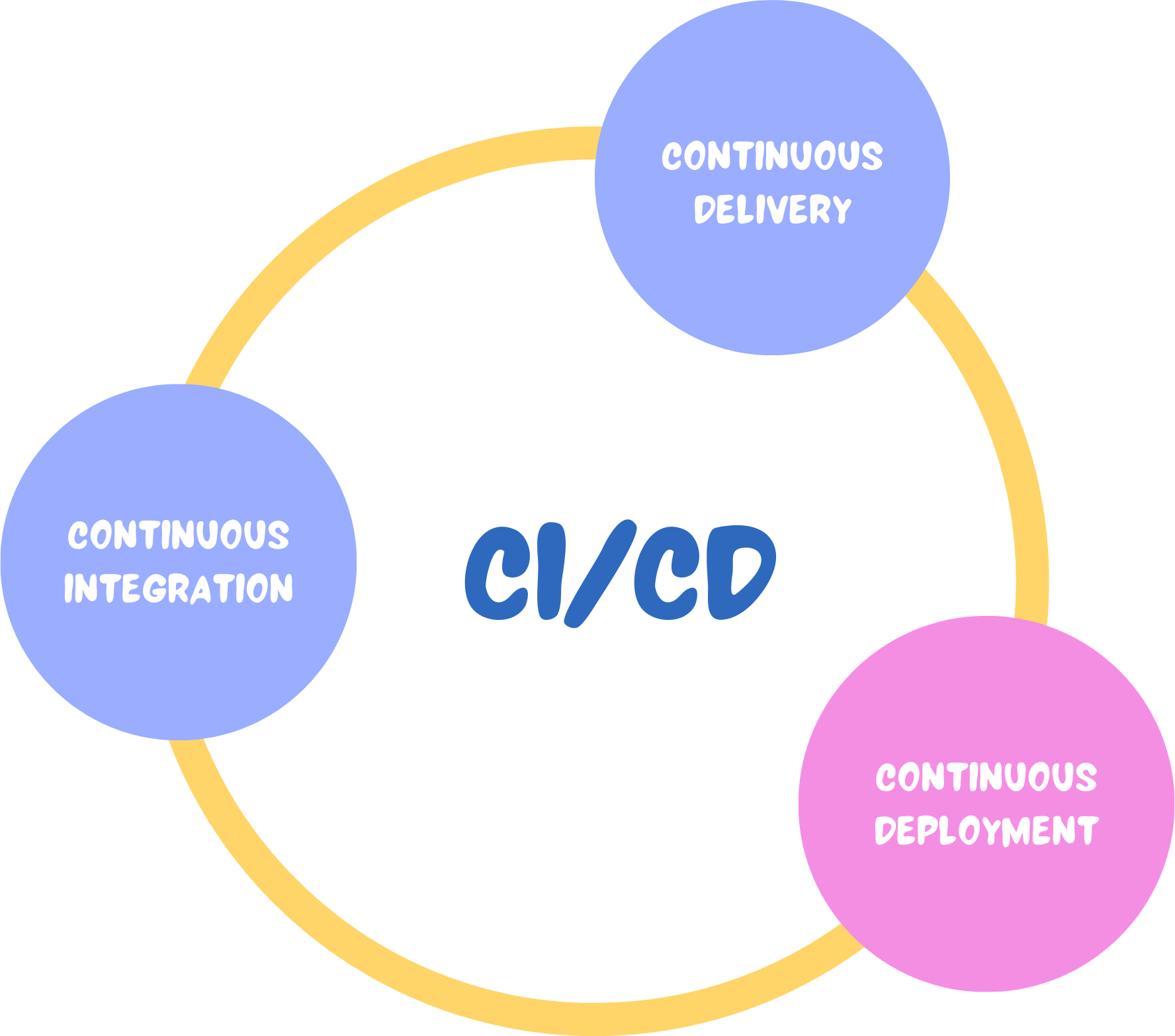
CI/CD stands for Continuous Integration and Continuous Deployment. Together, they form an automated pipeline that helps developers write, test, and release code quickly and reliably.
- Continuous Integration (CI) — Developers regularly push their code to a shared repository like GitHub or GitLab. Automated tests then run immediately to catch errors before they reach users.
- Continuous Deployment (CD) — Once the code passes all tests, it is automatically deployed to the live environment. Users get access to new features or bug fixes without any manual steps.
Think of CI/CD as a well-organised production line for software. Code goes in one end, gets tested and verified, and comes out the other end ready for users — all without human intervention at every step.
Why CI/CD Matters for Modern Software Teams
Before CI/CD became standard practice, software updates took weeks or even months to reach users. Teams had to manually test code, coordinate deployments, and hope nothing broke in production. That approach was slow, error-prone, and frustrating for everyone involved.
CI/CD changed that by making the entire process automatic, faster, and far more dependable. Here is why it matters:
- Faster releases — Automation cuts down the time it takes to get new features to users.
- Fewer bugs — Automated tests catch problems early, before users ever see them.
- Better team collaboration — Multiple developers can work on the same codebase without conflicts piling up.
- Greater stability — Deployments are consistent and predictable, reducing the risk of downtime.
- Happier users — Customers receive fixes and new features quickly, improving their overall experience.
Companies like Netflix, Amazon, and Google use CI/CD pipelines to push updates multiple times a day with zero downtime. That level of speed and reliability is only possible through automation.
How a CI/CD Pipeline Works Step by Step
A CI/CD pipeline is the automated workflow that builds, tests, and deploys code changes. Here is how the process flows from start to finish:
- Step 1 — Code Integration: A developer writes new code and pushes it to a shared repository such as GitHub or GitLab. The CI system immediately picks it up and begins running automated checks.
- Step 2 — Automated Testing: The pipeline runs multiple types of tests — unit tests, integration tests, and security scans — without any manual input. If a test fails, the developer is notified to fix the issue before moving forward.
- Step 3 — Build and Staging: Once tests pass, the system builds the application and deploys it to a staging environment for final verification.
- Step 4 — Deployment to Production: After all checks clear, the code is automatically deployed to the live environment. Users instantly get access to the updated version of the app.
- Step 5 — Monitoring: The system continues to monitor performance after deployment to catch any issues that may appear in real-world usage.
For example, a platform like Instagram can introduce a new feature such as Stories Highlights and roll it out to millions of users without causing disruption — all thanks to a well-built CI/CD pipeline.
Top CI/CD Tools Developers Use Today
Several tools are available to help teams build and manage CI/CD pipelines. The right choice depends on your project size, infrastructure, and team preferences.
| Tool | Best For | Key Feature |
|---|---|---|
| Jenkins | All project types | Open-source, highly customisable |
| GitHub Actions | GitHub-hosted projects | Native CI/CD inside GitHub |
| GitLab CI/CD | GitLab users | Built-in pipelines for GitLab repos |
| CircleCI | Fast cloud-based delivery | Speed-optimised cloud pipelines |
| Travis CI | Open-source projects | Simple setup for public repos |
| Azure DevOps | Enterprise teams | Microsoft’s end-to-end DevOps platform |
CI vs CD vs DevOps: Understanding the Difference
These three terms are often used together but they mean different things. Here is a quick breakdown:
- Continuous Integration (CI) — Focuses on automatically merging and testing code changes frequently to catch errors early.
- Continuous Deployment (CD) — Focuses on automatically releasing tested code to production so users get updates without delay.
- DevOps — A broader culture and set of practices that brings development and IT operations teams together. CI/CD is one part of DevOps, which also includes security, monitoring, and team collaboration.
Think of DevOps as the overall philosophy, and CI/CD as the practical tools and processes that make it work day to day.
Best Practices to Get the Most Out of CI/CD
Setting up a CI/CD pipeline is just the beginning. To make it truly effective, teams should follow these proven practices:
- Use version control — Store all code changes in Git or a similar system so every update is tracked and reversible.
- Automate testing thoroughly — Write strong unit, integration, and security tests that catch real problems before deployment.
- Monitor after deployment — Keep an eye on performance metrics and error logs after every release.
- Optimise build speed — Slow pipelines frustrate developers. Keep builds lean and fast to maintain productivity.
- Integrate security early — Include security scans inside the pipeline rather than treating them as an afterthought. This approach is known as DevSecOps.
Looking ahead, CI/CD pipelines are becoming smarter. Future developments include automated code fixing, serverless deployment environments, and tighter integration with cloud-native infrastructure. The direction is clear — software delivery will keep getting faster, more secure, and more automated.
For any team building software today, adopting CI/CD is not just a technical choice. It is a competitive advantage that directly impacts how quickly and reliably you can serve your users.