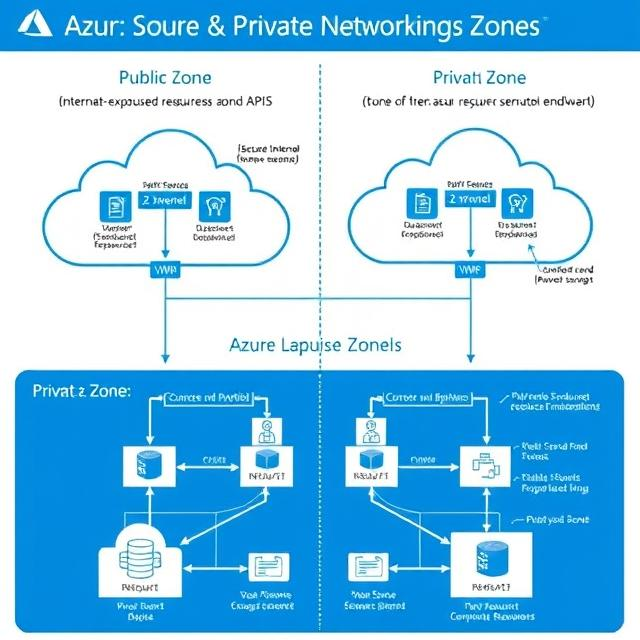
If you manage cloud infrastructure on Microsoft Azure, understanding the difference between public and private networking zones is essential. These zones define how your resources communicate with each other and with the outside world. Choosing the right zone directly affects your application’s security, performance, and accessibility.
What Are Networking Zones in Azure?
Networking zones in Azure are logical groupings that control how traffic flows between resources. They determine whether a resource is reachable from the public internet or restricted to internal networks only. Azure provides tools and services to support both types, and many real-world architectures use a combination of the two.
Getting this right from the start helps you avoid costly security gaps and unnecessary exposure of sensitive data.
Public Networking Zones in Azure
Public networking zones are designed for resources that need to be accessible from the internet. These are ideal for customer-facing applications, public APIs, and services that interact with external users or systems.
Key characteristics of public networking zones:
- Internet Accessibility – Resources in public zones can be reached from anywhere on the internet. Azure Virtual Machines (VMs) assigned with public IP addresses are a common example.
- Public IP Addresses – Resources are assigned static or dynamic public IPs, making them reachable from outside your network.
- Azure Services – Services such as Azure App Service, Azure SQL Database with a public endpoint, and Azure Front Door are built for public accessibility.
- Security Measures – Since public zones expose resources to external traffic, Azure provides tools like Network Security Groups (NSGs) and Application Gateway with Web Application Firewall (WAF) to protect them.
When to use public networking zones:
- Web Applications – Online stores, news portals, and any website requiring global access must be placed in public zones.
- Public APIs – APIs meant for third-party integrations or external developer access need public endpoints.
- Internet-Facing Services – Email gateways, social media integrations, and similar services that interact with the open internet rely on public zones.
Private Networking Zones in Azure
Private networking zones are built for internal communication. Resources in these zones are not exposed to the public internet, which significantly reduces the attack surface and keeps sensitive workloads isolated.
Key characteristics of private networking zones:
- Internal Accessibility – Resources are reachable only within an Azure Virtual Network (VNet) or through a secure VPN or ExpressRoute connection.
- Private IP Addresses – Resources use private IPs that operate within the Azure VNet, ensuring all communication stays internal.
- Azure Services – Tools like Azure Virtual Network (VNet), Azure Private Link, and Azure Bastion are designed specifically for private networking scenarios.
- Security Measures – Access is controlled through VNet security configurations, NSGs, and other Azure networking tools that restrict who can reach internal resources.
When to use private networking zones:
- Internal Applications – HR systems, finance platforms, and other sensitive business applications should never be exposed to external traffic.
- Database Servers – Keeping databases in private zones ensures only trusted internal resources can query or modify data.
- Hybrid Environments – Organizations with on-premises infrastructure can securely connect their local networks to Azure using VPN gateways or ExpressRoute links.
Public vs Private Networking Zones: A Quick Comparison
| Feature | Public Networking Zone | Private Networking Zone |
|---|---|---|
| Internet Access | Yes | No |
| IP Address Type | Public (static or dynamic) | Private (within VNet) |
| Use Case | Websites, APIs, public services | Databases, internal apps, hybrid setups |
| Security Risk | Higher (needs NSG, WAF) | Lower (isolated from internet) |
| Key Azure Services | App Service, Front Door, SQL Public Endpoint | VNet, Private Link, Bastion, ExpressRoute |
Best Practices for Azure Network Zone Design
Most production environments on Azure use both public and private zones together. A typical architecture places the web-facing layer in a public zone while keeping the application logic and database layers in private zones. This layered approach limits exposure while keeping the user experience intact.
- Always apply NSGs to both public and private subnets to control inbound and outbound traffic rules.
- Use Azure Private Link to access platform services like Azure Storage or Azure SQL privately, without routing traffic over the internet.
- Enable Azure Bastion for secure remote access to VMs in private zones without needing a public IP on the VM itself.
- For hybrid setups, prefer ExpressRoute over VPN for more reliable and higher-bandwidth connections to on-premises networks.
- Regularly audit your public IP assignments to ensure no resource is unintentionally exposed to the internet.
Understanding and correctly implementing public and private networking zones in Azure is a foundational step toward building secure, scalable, and well-architected cloud environments. Whether you are running a simple web app or a complex hybrid enterprise setup, the right network zone strategy protects your data and keeps your services running reliably.